Email marketing
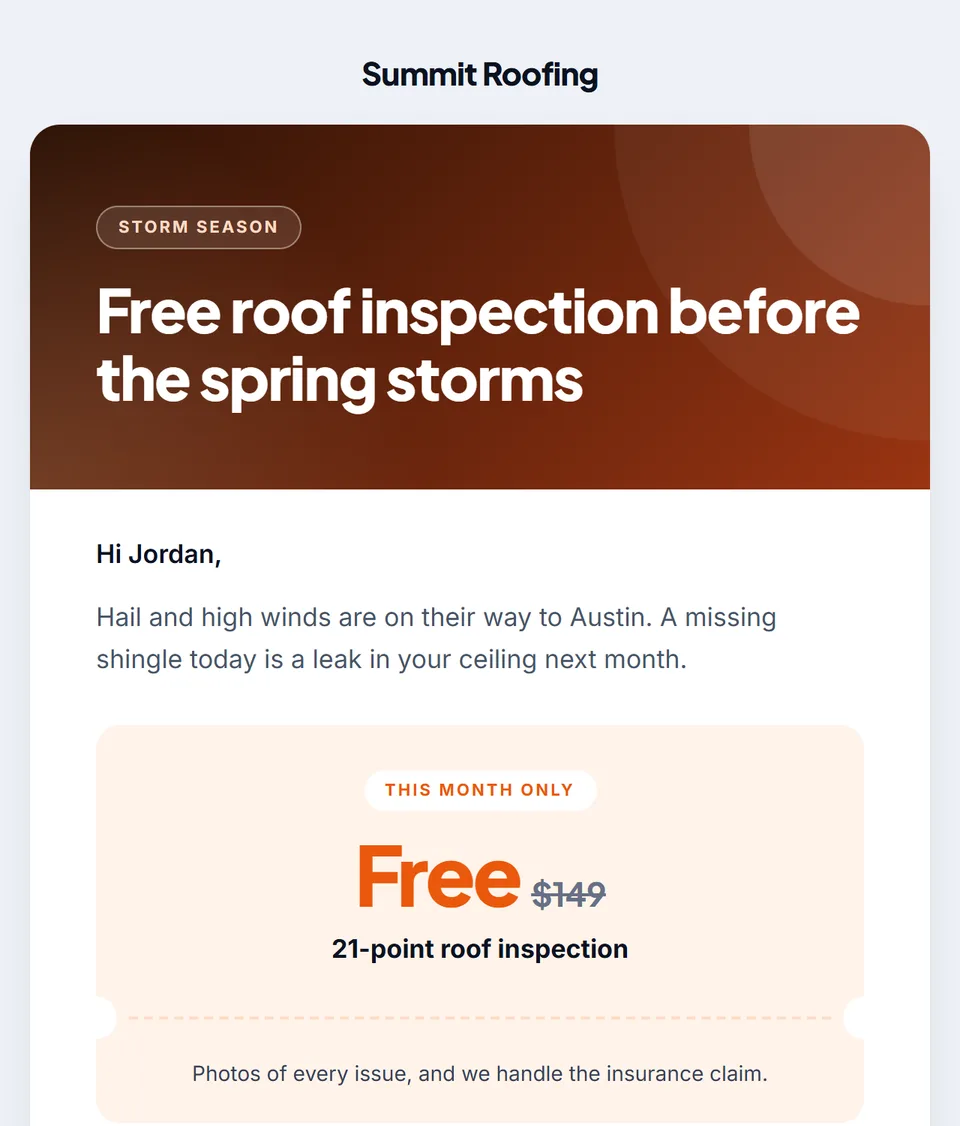
Describe the email in one sentence. See who books from it.
Say what you're promoting, or drop in your flyer. The AI designs the email, writes it in your business's voice and picks who gets it. Change anything by asking, send it to your leads now, later or a few at a time, and see every open, click and booking.
Watch it work24 secIncluded on every plan. Writing and changes are free; sending is 0.03 credits an email, or free through your own email account.



Loved by 1,300+ businesses
How it works
From one sentence to a sent campaign
- 01
Say what to send
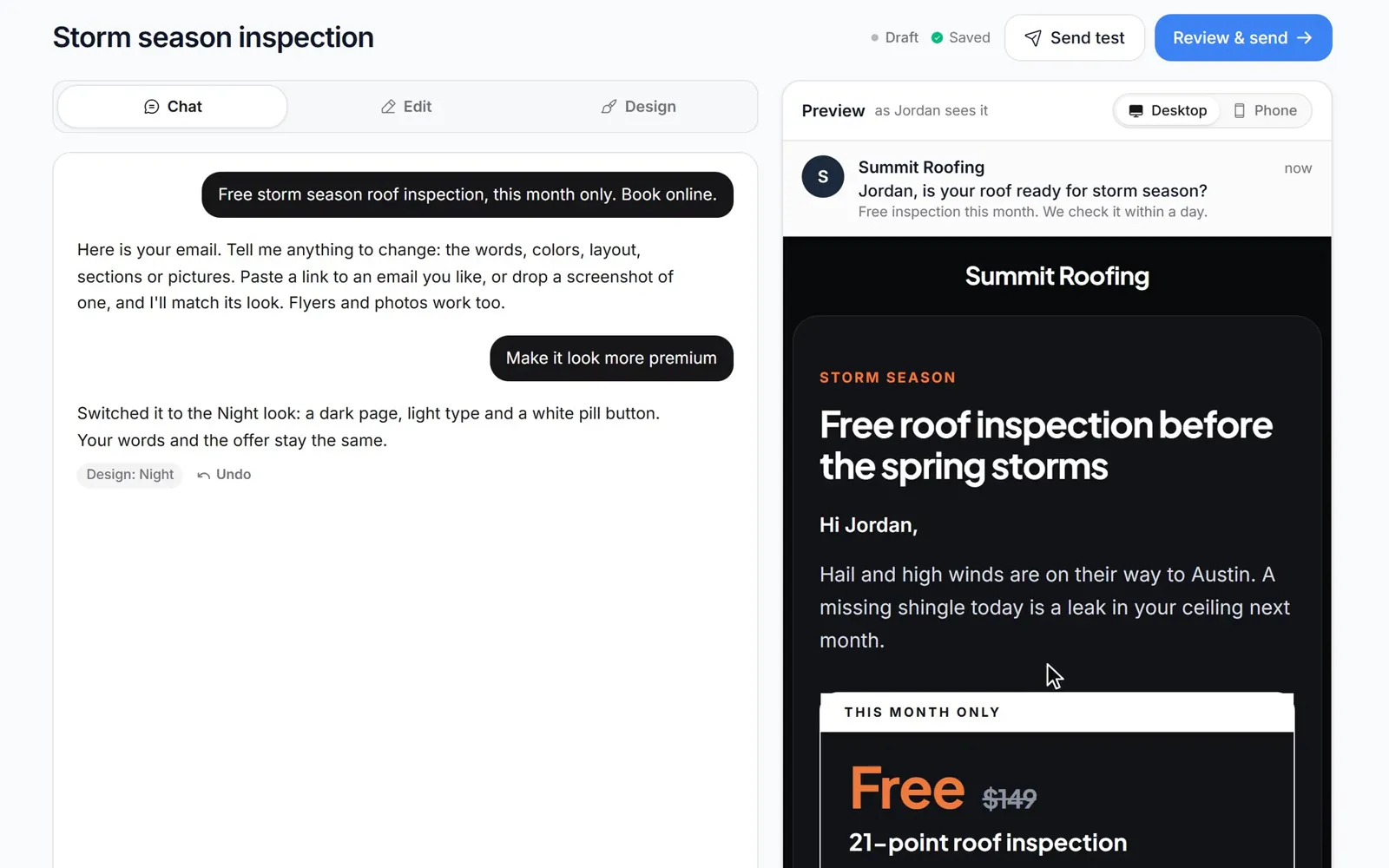
Type what you're promoting, like “Free storm season roof inspection, this month only”, or drop in a flyer, a PDF or photos of your work. Pick a look or let the AI choose.
- 02
Change anything by asking
Ask for a bolder look, a coupon or your services with prices, show it an email you like, or edit any section yourself. Every change can be undone.
- 03
Send it and see who books
Pick who gets it and when. Opens, clicks and the appointments booked after the email show up for the campaign and for each person.
Built by AI, in your voice
Ask for any change, the way you'd ask a designer.
The AI starts from what it already knows about your business: your details, your AI Brain notes and reviews, the offers you run and the page the button opens. Tell it what to change in plain words and the email updates, with a note of what changed and an Undo. Prefer to do it yourself? Every line, section and button can be edited by hand, and changes save on their own.
- Reads your flyer, a PDF or photos of your work
- Three AI header images a round, or your own
- Undo any change, send yourself a test
Thirteen looks
Pick a look. Or show it any email you like.
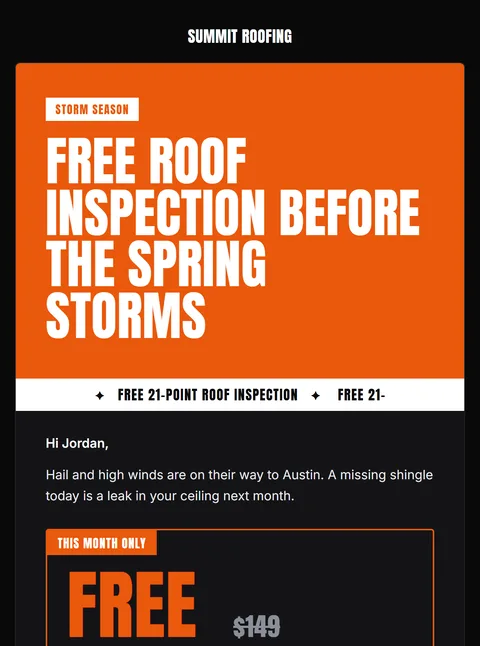
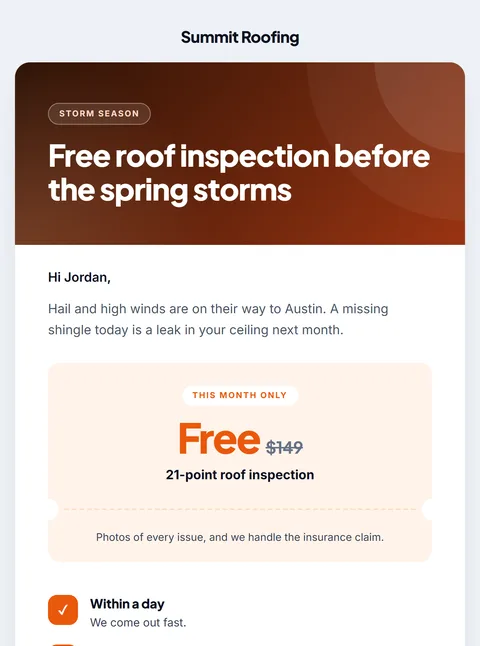
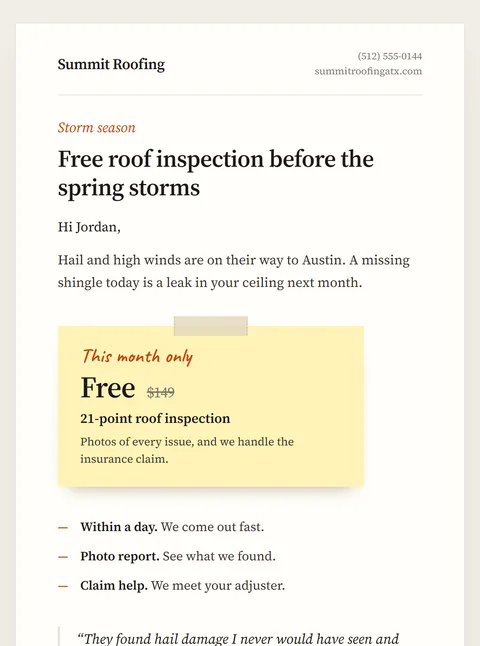
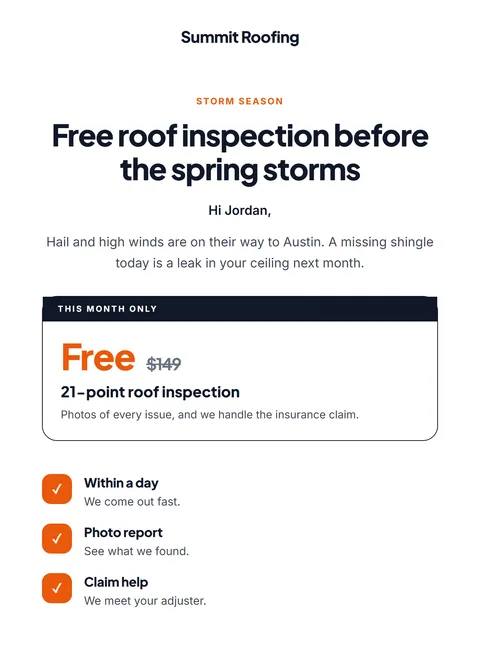
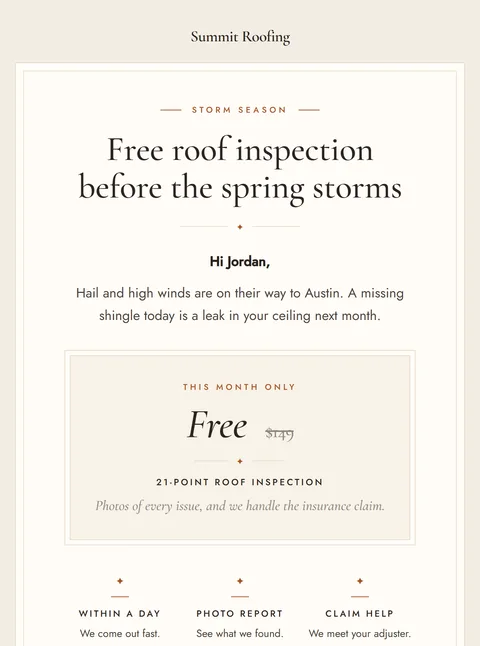
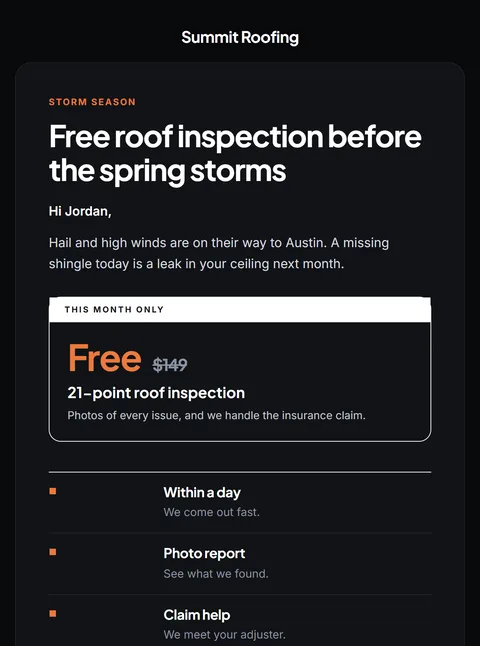
Each look is its own design, from a black sale poster to a letter with a handwritten signature, in your brand color. Paste a link to an email you like, or drop in a screenshot, and the AI rebuilds yours in that style with your words. Here is Summit Roofing's storm season email in a few of them.
Who gets it
The right leads, at the pace you choose.
Send to leads who haven't booked, everyone, the stages you pick or leads with a tag, and see exactly how many people that is before you send. Unsubscribed and bounced addresses are always left out, and each address gets one copy, with their own first name. Send it now, schedule it, or let it go out a few at a time so your team keeps up with the replies.
- Haven't booked, everyone, stages or tags
- Schedule it up to 90 days ahead
- A few at a time: every hour, every day or your own gap
Results
See who opened, clicked and booked.
Each campaign shows how many emails were delivered, opened and clicked, and the appointments booked within 14 days of the email, including how many booked right after clicking. Filter to the people who clicked or booked and open any of them in the CRM to follow up.
- Bookings credited to the email that led to them
- Filter by opened, clicked, booked or unsubscribed
- Send it again as a new campaign
Before you send
Send from your own name
Campaigns can go out on day one from a shared address. These make them land as you.
What helps
- Your own domain: in Settings → Email, add a domain like mail.yourbusiness.com, copy the DNS records it shows into your domain provider and choose who the email comes from.
- Or your own email account: connect Gmail or Google Workspace, Outlook or Microsoft 365, Zoho, Yahoo or any SMTP server, and campaigns send through it at no credit cost.
- Agencies can verify their own domain once, and every client without a domain of its own sends from it instead.
- Replies come back to the CRM, into that lead's conversation, so nobody has to watch a separate inbox.
- Add your business address in Settings so it shows at the bottom of every email. It helps your email land in the inbox. Recommended, not required.
- Send yourself a test first. It's exactly what your leads get, marked as a test.
See it in action
See Email Marketing in action.
Recorded inside Zuops with a demo business. Nothing here is a mockup.
1/5 Describe it in one sentence
Why Email Marketing
Email that brings in bookings, without a designer.
Free to write
The AI writing the email and every change you ask for cost nothing. You only pay to send.
Written for your business
It writes from your details, AI Brain notes, reviews and offers, not a generic template.
Tracked to the booking
Opens, clicks and appointments booked within 14 days of the email, for every person.
Each person by name
Everyone gets their own copy with their first name, and one email per address.
Unsubscribes handled
A one-click unsubscribe in every email. Unsubscribed and bounced addresses are always left out.
Sent as your business
From your domain or your own email account, with replies landing in the CRM.
Pricing
Writing is free. Sending is 0.03 credits an email, or free through your own email account.
Every plan includes the whole platform. Usage comes out of your plan's monthly credits.
See plans and credit pricesFAQ
Email Marketing: common questions
Cost and results
How much does email marketing cost?
It comes with every plan, from $19/mo. The AI writing the email and every change you ask for cost nothing. Sending costs 0.03 credits per email, so 1,000 emails are 30 credits, and nothing at all through your own email account. A round of three AI header images is 1.5 credits, and any image that can't be made is refunded.
How do you know an email led to a booking?
When someone books an appointment within 14 days of getting a campaign, the booking is credited to that email (the latest one they got, a clicked one first). Each campaign shows how many people booked and how many booked right after clicking.
Writing it
What does the AI need from me?
One sentence is enough, like “$79 gutter cleaning this month”. It already knows your business from your settings and AI Brain (your details, notes, reviews and rules), the offers you run and what's on the page the button opens. You can also drop in a flyer, a PDF or photos of your work; it reads them and can put them in the email or redesign your flyer as the header.
Can I make it look like an email I like?
Yes. Paste a link to the email in the chat, or drop in a screenshot of it, and the AI rebuilds yours in that style with your words and brand color. The page you link is only used as a picture to match.
Can I edit the email myself?
Yes. The Edit tab has the subject, header image, headline, every section (text, offer, image, image and text, features, steps, review, gallery, banner, questions, services, buttons), the button and where it goes, the greeting, sign-off and P.S. The Design tab has the 13 looks, your brand color, the headline font and the corners. Changes save on their own, and Send test shows you exactly what leads get.
Sending it
Who can I send it to?
Leads who haven't booked (the default), everyone with an email, the pipeline stages you pick, or leads with any of the tags you pick. You see exactly how many people that is before you send. Each address gets one email even if it's on two leads, and anyone who unsubscribed, bounced or has no email is always left out.
Can I schedule it or send it a few at a time?
Yes. Send now, schedule it up to 90 days ahead, or send a few at a time: 25, 50, 100, 250 or any number per batch, every hour, every day or a gap you set from 5 minutes to 30 days. You can send the rest at once or stop it any time.
Which address does it come from?
Your own email account if you connect one (Gmail, Outlook, Zoho, Yahoo or any SMTP server), otherwise your verified domain from Settings → Email, otherwise your agency's domain or a shared address. It's sent in your business's name, and replies land in the CRM.
What happens when someone unsubscribes?
Every email has an unsubscribe link, and mail apps that offer a one-click unsubscribe button get one too. Once someone unsubscribes, they stop getting your marketing and follow-up emails, and every campaign after that leaves them out.
Still have a question?
Ask us. You get an answer in about a minute, and a person from the team takes over when needed.
Ask our teamYour next campaign, in one sentence.
Say what you're promoting. The AI builds the email, sends it to the right leads and shows you who booked.
- On every plan
- Plans from $19/mo
- Cancel anytime