Instagram & Messenger DMs
Turn Instagram comments and DMs into booked jobs.
Someone comments “inspect” on your reel and gets your booking link by DM seconds later. Every Instagram and Facebook Messenger DM lands in the same inbox as your texts and emails, and the AI answers it, gets their number and puts them on your calendar.
Watch it work27 secSending and receiving DMs costs nothing. Needs an Instagram Business or Creator account linked to your Facebook Page.



Loved by 1,300+ businesses
How it works
Set up in a few minutes
- 01
Connect Facebook
In Settings → Instagram & Messenger, log in with Facebook and pick your Page. Its Messenger and the Instagram account linked to it connect together.
- 02
Choose who answers
For each account, choose whether its DMs show in your Inbox and whether the AI replies. Switch either one off any time.
- 03
Add a comment rule
Pick the keywords, write the public reply and the DM with your link, and choose the posts. Try a comment in the preview before you save.
Comment to calendar
From a comment to a booked job, without you in the middle.
Ask people to comment a word on your post. Zuops replies to the comment so everyone sees you answered, sends a DM with your link, and when they write back the AI takes it from there: it answers, asks for their number and books the visit. You see every step on the lead.

Comment to DM
Comment a keyword, get the link by DM. Automatically.
Make a rule for each offer: the words that trigger it, the public reply, and the DM people get, with a button to your booking page, price sheet or guide. Run it on every post and reel or just the ones you pick, on Instagram and your Facebook Page.
- Has a keyword, the exact keyword, or any comment
- Up to 10 public replies, picked at random so they don't repeat
- Send each person a rule's DM only once, if you like
One inbox
Instagram, Messenger, texts and email in one inbox.
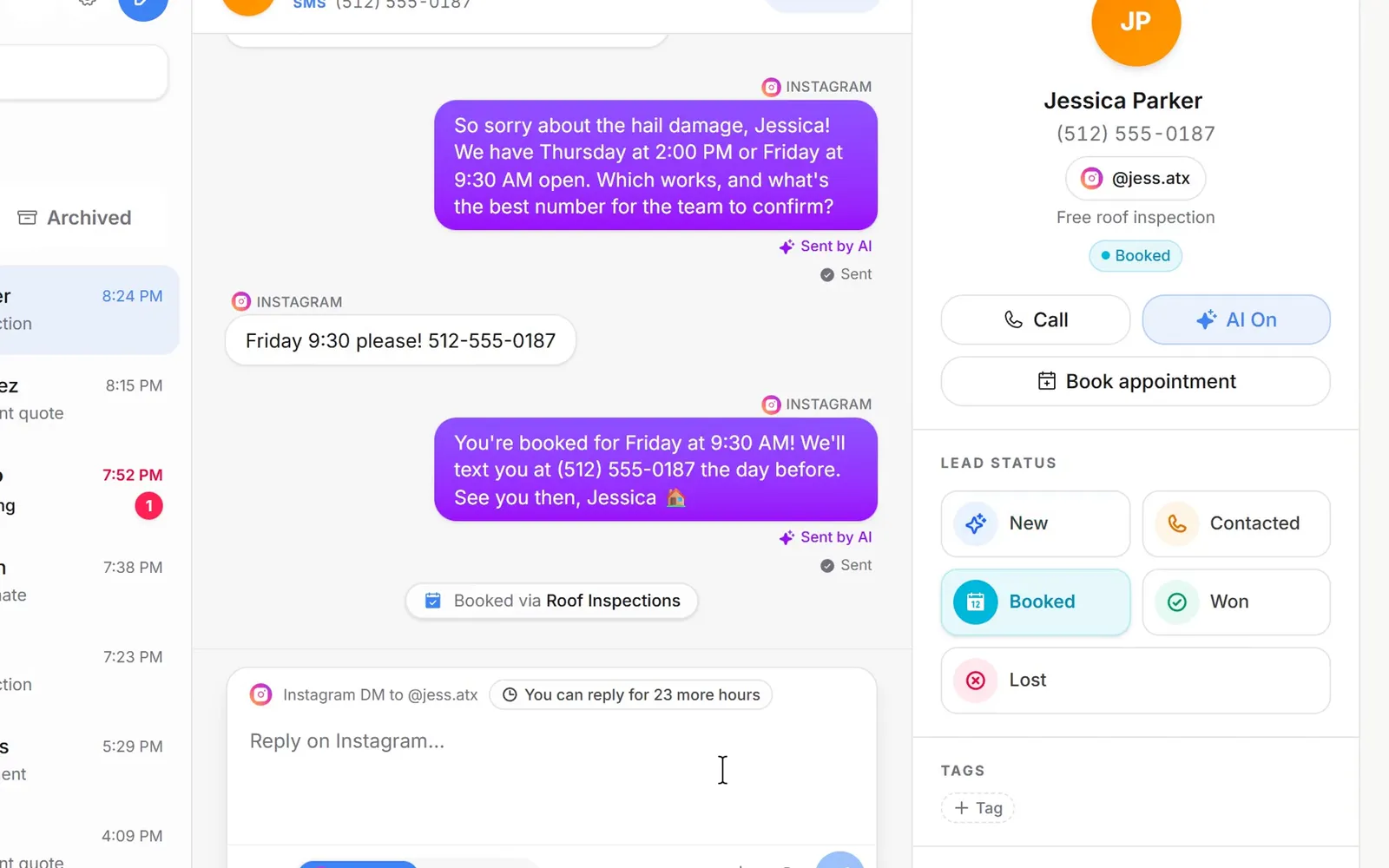
The first time someone messages your Page or your Instagram, they become a lead with their name and profile photo, and the conversation sits in the Inbox next to your texts, iMessages and emails. Reply from the CRM on your laptop or phone. Meta lets a business answer for 24 hours after someone's last message, so the reply box counts that down for you.
- A lead for every new DM
- Photos both ways
- The 24-hour reply window, counted down
AI replies
The AI answers DMs, gets their number and books the job.
Turn AI replies on for an account and it answers from what you've told it about your business. It looks at photos people send, asks for the best phone number once they want to book, saves it to the lead and puts the appointment on your calendar. It waits for a short pause before answering, so three quick messages get one reply, and you can take over any time.
- Looks at the photos people send
- Saves their phone number and email
- Books on your calendar
See what happened
Every comment it answered, and every DM it sent.
Each rule shows how many DMs it has sent and when it last fired. Recent comments lists every comment with what happened to it: DM sent, skipped because that person already got it, or failed with the reason. Search by name or word and filter by rule, post or account.

Before you start
What you need
Instagram and Facebook
- A Facebook Page, and an Instagram Business or Creator account linked to it.
- In the Instagram app: Settings → Messages and story replies → Message controls → Allow access to messages, turned on.
- The account owner connects it with a Facebook login that manages the Page. For agencies, connect each client's Page to that client's sub-account so their DMs stay in their CRM.
- Meta lets a business reply for 24 hours after someone's last message. After that, they need to message you, or comment, again.
See it in action
See Instagram & Messenger in action.
Recorded inside Zuops with a demo business. Nothing here is a mockup.
1/4 Someone comments a keyword
Why Instagram & Messenger
Your DMs, working like the rest of your CRM.
DMs cost nothing
Sending and receiving DMs, comment replies and comment-to-DM messages are free. Only the AI's replies use credits, a small fraction of one each.
Every DM becomes a lead
The first message creates a lead with their name and photo, so nobody gets lost in a phone's message requests.
Instagram and Facebook
One Facebook login connects your Page's Messenger and its Instagram account. Comment rules work on posts and reels on both.
Your team or the AI
Reply yourself from the CRM, or turn AI replies on for an account and step in whenever you want.
Inside Meta's rules
Messages go through Meta's own messaging, inside the 24-hour reply window, and a rule can DM each person only once.
Answers in seconds
Comment DMs go out seconds after the comment, any time of day, while the post is still on their screen.
Real results
Real businesses. Real bookings. Real revenue.
Campaign numbers from owners and agencies who run their ads and leads through Zuops.
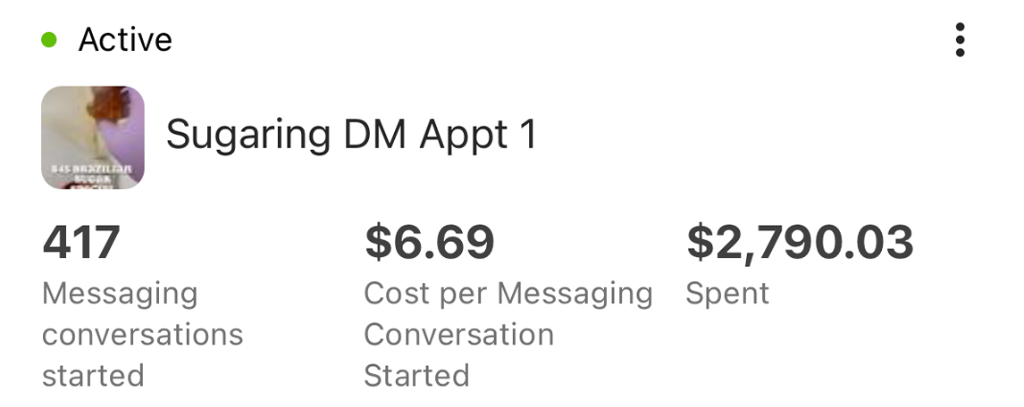
400+ new clients for less than a coffee each
“I'm still shocked we got over 400 new client conversations for less than a fancy coffee each. Their DM strategy didn't just get us bookings, it built a community. Our appointment book has never been this full.”
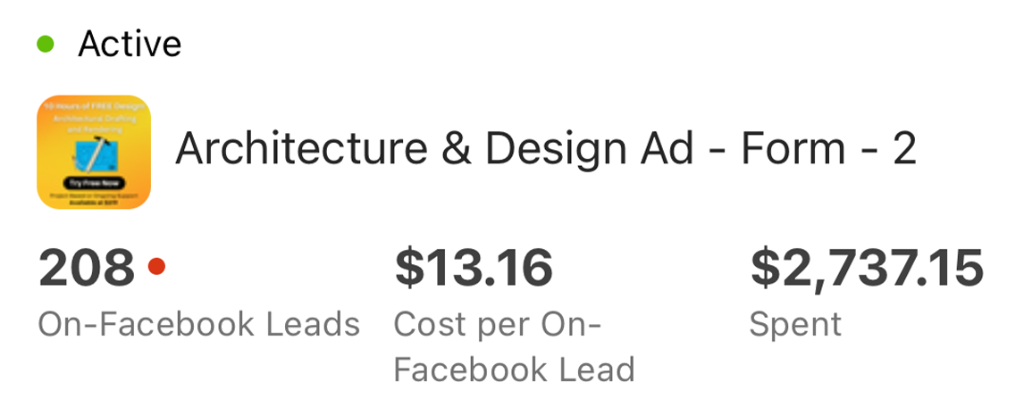
From headache to $13 quality architecture leads
“Getting qualified architecture leads used to be our biggest headache. They brought in over 200 at a cost of just $13 a piece. The quality of their creative is top-notch. Finally, a consistent flow of real projects.”
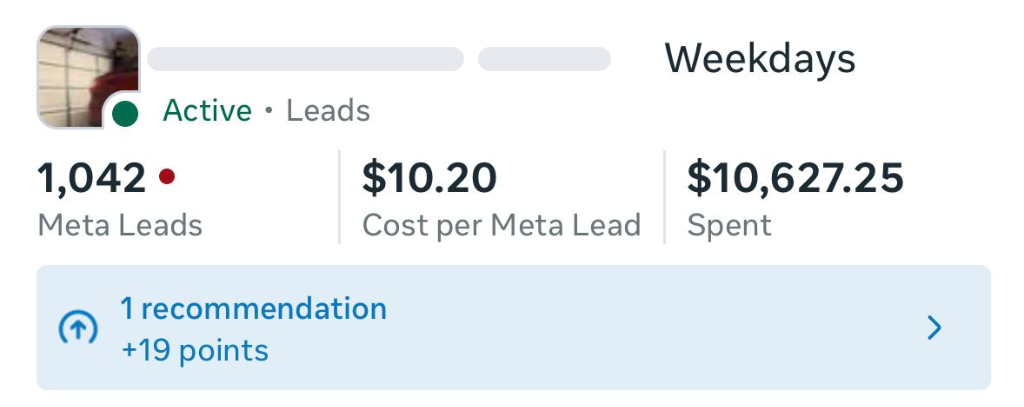
1,000+ leads at $10 each
“Over 1,000 leads at just $10 a pop? We couldn't believe it. This campaign was a massive success for filling the gaps in our booking calendar during what used to be our slow weekdays.”
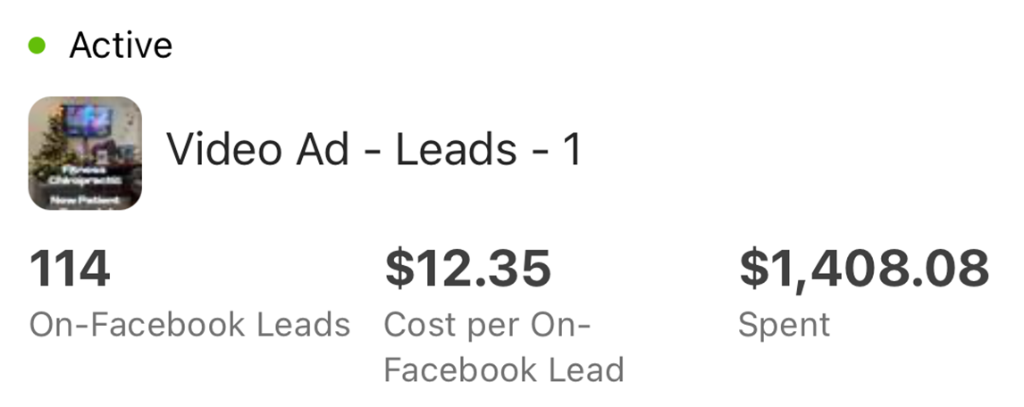
Video campaign delivers 114 leads at $12 each
“Video is tough, but they nailed it. 114 leads for around $12 each is a number we didn't think was possible. They understood our service model perfectly and delivered creative that actually converts.”
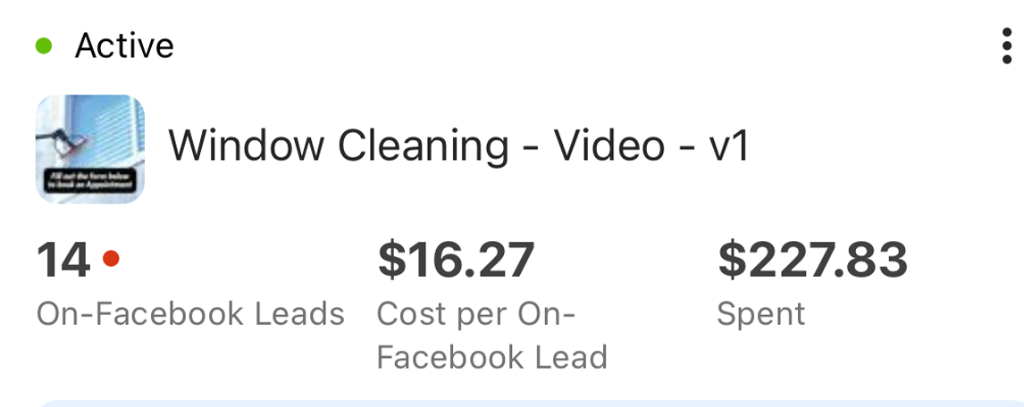
Local window cleaning gets 14 high-quality jobs
“We're a local window cleaning biz, so we weren't sure what to expect. They managed to pull in 14 high-quality jobs from a single video campaign. The way they presented our service made us look like the pros we are.”
Pricing
DMs are free to send and receive. An AI reply uses a small fraction of a credit.
Every plan includes the whole platform. Usage comes out of your plan's monthly credits.
See plans and credit pricesFAQ
Instagram & Messenger: common questions
Comment to DM
How does comment to DM work?
You make a rule with the words that trigger it, like “inspect” or “price”. When someone comments one of them on your Instagram post or reel or your Facebook Page post, Zuops replies to the comment publicly and sends them a private DM with your message and, if you add one, a button to any link.
Is it like ManyChat?
It does the comment-to-DM part ManyChat is known for, and the conversation then lands in your CRM: the DM is a lead, the AI can answer it and book it, and it sits next to your texts, emails and calendar. It's included in every Zuops plan, not a separate subscription.
Can I pick which posts a rule works on?
Yes. A rule can run on every post and reel or only the ones you pick, on all your connected accounts or only some. It can match any comment that contains a keyword, only the exact keyword, or every comment.
Will the same person get the DM twice?
Not if you don't want them to. Turn on “Each person gets this DM once” and a second comment from them is skipped, which Recent comments shows as Skipped.
Inbox and AI
Can the AI book appointments from a DM?
Yes. With AI replies on, it answers from what you've told it about your business, asks for the best phone number once they want to book, saves it to the lead and books the time on your calendar. It can look at photos people send too.
Why can't I reply to an old DM?
Meta lets a business reply for 24 hours after someone's last message. After that, they need to message you, or comment, again. The reply box shows how long you have left.
Setup and cost
What does it cost?
Sending and receiving DMs, comment replies and comment-to-DM messages cost nothing, on every plan. An AI reply uses a small fraction of a credit: what the AI costs us plus a small margin.
What do I need to connect Instagram?
An Instagram Business or Creator account linked to your Facebook Page, with Allow access to messages turned on in the Instagram app (Settings → Messages and story replies → Message controls). Then log in with Facebook in Settings → Instagram & Messenger and pick the Page.
Does it work for my agency's clients?
Yes. Each sub-account connects its own Facebook Page and Instagram account, so every client's DMs, rules and AI replies stay in their own CRM, under your brand.
Still have a question?
Ask us. You get an answer in about a minute, and a person from the team takes over when needed.
Ask our teamTurn ad clicks into booked appointments.
Start with your own business or bring every client. Your first ads take minutes, and every new lead gets a reply in seconds.
- Plans from $19/mo
- White-label on every plan
- Cancel anytime